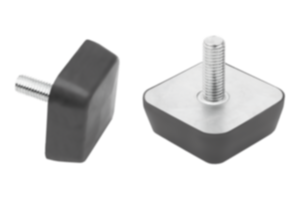
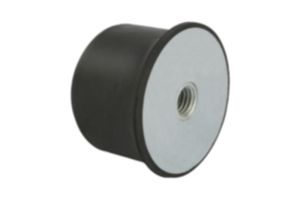
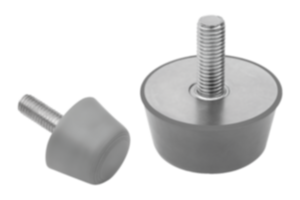
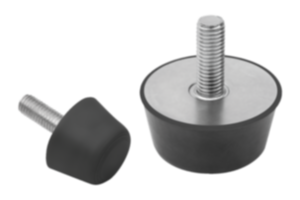
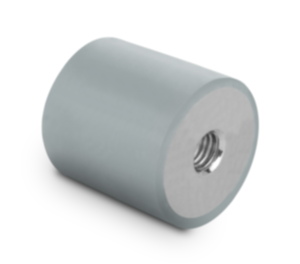
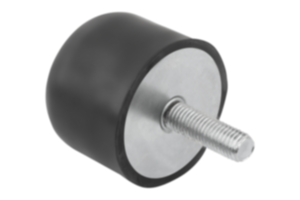
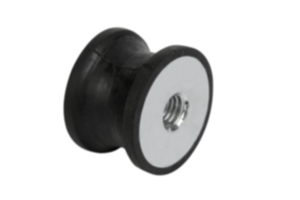
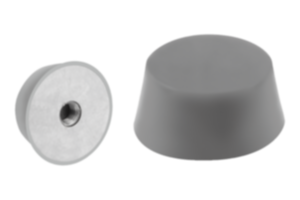
Smorzatore di vibrazioni in due pezzi acciaio zincato 26131-47549335
- Compensation of high dynamic loads
- Effective in all spatial directions
- For efficient decoupling of machines and systems to adjacent components
- Resistant to UV radiation
- Simple assembly
Unità di vendita
€17.83
Aggiunto al carrello
Denominazione
Smorzatore di vibrazioni
Versione 1
in due pezzi
Materiale
Corpo base
acciaio
Superficie
corpo base
zincato
Materiale
Componente
neoprene
Colore
Componente
nero
D1=Diametro interno
13,5
D=Diametro esterno
47,5
F (altezza H2) =
carico assiale
30
F (altezza H3) =
carico assiale
60
F1 (altezza H2) =
carico radiale
20
F1 (altezza H3) =
carico radiale
25
H=Altezza
49,3
Coppia Nm
(altezza H2)
13
Coppia Nm
(altezza H3)
14
D2
33,3
D3
31,8
Durezza Shore
35+5
Frequenza Hz
(altezza H2)
15
Frequenza Hz
(altezza H3)
12
H1
19,8
H2
12,7
H3
14,2
R
1,5
~ CONFLICT MINERALS 3TG status
no intentional 3TG
~ CP65 substance 2 cancer
carbon-black extracts
~ PFAS free?
yes
~ REACH SVHC-free?
yes
~ RoHS conformity
yes, without exemption
~ TSCA 6(H) conformity
yes
Descrizione
Material
Isolating medium Neoprene.
External body steel.
External body steel.
Version
Steel galvanised.
Note
The two-part vibration absorbers are used to create a stable connection or efficient decoupling of machines or equipment from neighbouring components.
Due to the material composition, rubber buffers are contact-colouring, which can lead to abrasion marks and discolouration on e.g. floors or contact surfaces.
Rubber buffers made of light grey EPDM that are not contact-colouring are available on request.
A load range of 10 to 285 kg can be covered.
Dimension H is the height of the vibration absorber when installed.
Colour coding of the products:
Yellow dot = Shore hardness 35.
Red dot = Shore hardness 45.
Green dot = Shore hardness 55.
Blue dot = Shore hardness 65.
White dot = Shore hardness 75.
Application
The lower part of the vibration absorber (P2) is pressed into the hole (D3) of the plate (P3). The plate P3 is in most cases the baseplate on which the machine or system is mounted. The upper part of the vibration absorber (P1) is then attached to the lower part (P2). The final step is to fasten the vibration absorber and the baseplate to the floor or another component using appropriate screws. It is recommended to place a washer between the upper part (P1) and the screw to protect the neoprene from the thread. Washer 07305-08 is recommended for vibration absorbers with D= 31.8 mm and washer 07305-18 is recommended for vibration absorbers with D= 47.5 mm. The vibration absorber can be screwed on both vertically and horizontally. However, the different load ratings must be taken into account.
Temperature range
-30 °C to +80 °C
Attention
- The temperature range must not be exceeded, otherwise the full function cannot be guaranteed.
- Not resistant to harsh cleaning agents, petrol and oils.
- To prevent damage to the neoprene, contact with sharp objects should be avoided.
- The height H must be maintained when installed to prevent the vibration absorber from failing.
- Not resistant to harsh cleaning agents, petrol and oils.
- To prevent damage to the neoprene, contact with sharp objects should be avoided.
- The height H must be maintained when installed to prevent the vibration absorber from failing.
Attention
The prescribed height of the baseplate/side plate used (H2/H3) should be adhered to for optimum use of the vibration absorbers.
Nota importante sul download dei modelli CAD
Per poter scaricare i nostri modelli CAD, occorre effettuare il login. Se non è stato ancora creato un account, si prega di registrarsi alla voce "Il mio account" (lato destro dello schermo) e di seguire le istruzioni.
Altri clienti hanno acquistato anche